Article overview
- A subscribe-and-save offer works when a buyer can see, before choosing anything, what they will pay per delivery, how often it arrives and how easily they can change or stop it. Most weak subscription programmes on Shopify do not have a dis...
- This guide covers the decisions that shape the offer on the product page: the discount, the frequencies, the default selection, plan tiers and the wording around commitment.
- Each doubt can be answered next to the purchase options, in a few words. If the answer needs a separate FAQ page, most buyers will not go looking for it.
- Enough for the saving to be obvious at a glance, and no more than your margin after shipping and payment fees can carry on every order. There is no universal figure. Work it out from your own numbers:
Putting this workflow into practice? Explore Shopify Subscription Growth for implementation scope, controls, and next steps.
A subscribe-and-save offer works when a buyer can see, before choosing anything, what they will pay per delivery, how often it arrives and how easily they can change or stop it. Most weak subscription programmes on Shopify do not have a discount problem. They have an offer that makes the buyer work out the value for themselves.
This guide covers the decisions that shape the offer on the product page: the discount, the frequencies, the default selection, plan tiers and the wording around commitment.
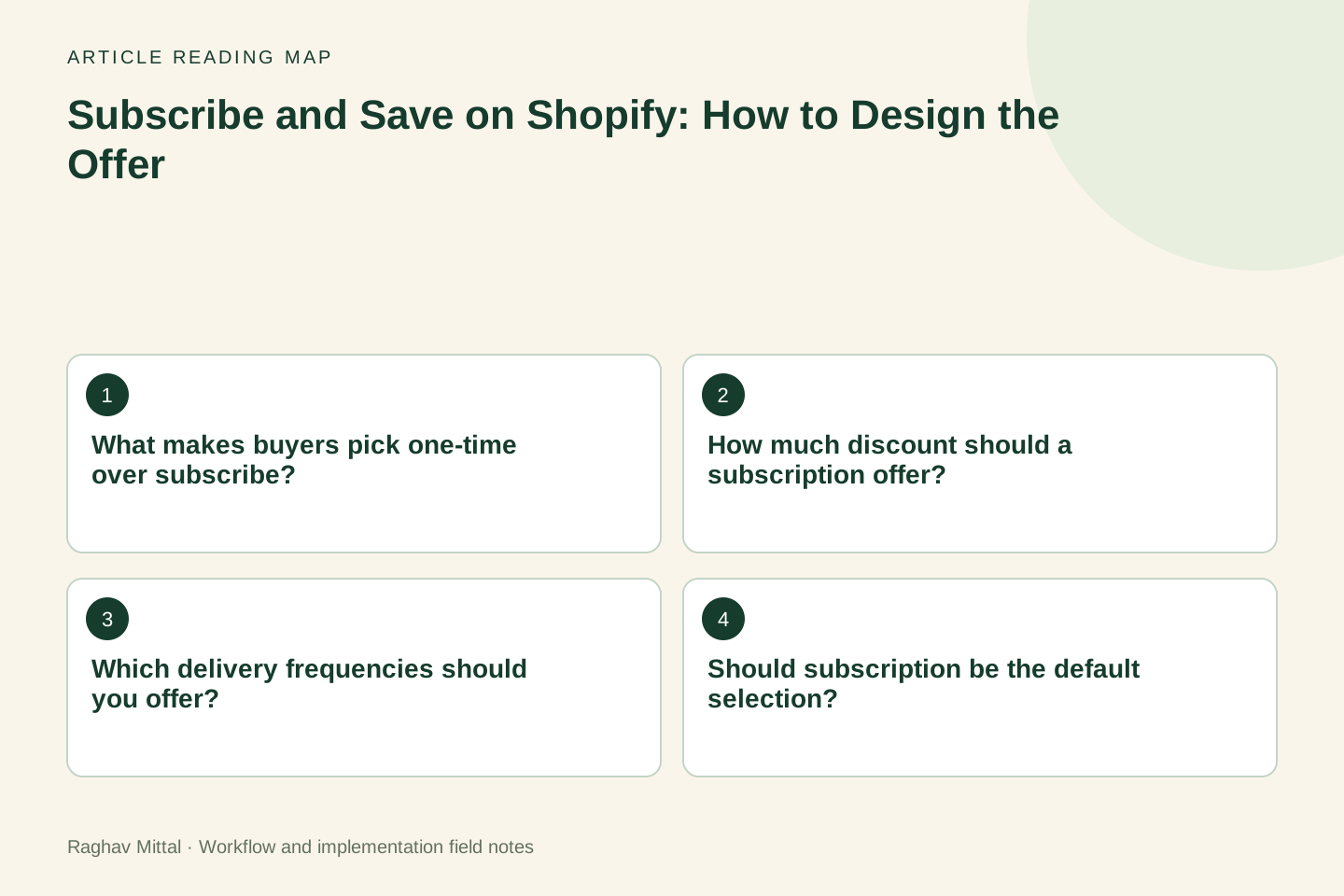
What makes buyers pick one-time over subscribe?
Three doubts, usually in this order:
- "What does it actually cost?" The saving is shown as a percentage, or only appears in the cart.
- "Will it arrive when I need it?" The frequency options do not match how fast the product is used.
- "Am I locked in?" Nothing near the button says how to skip, pause or cancel.
Each doubt can be answered next to the purchase options, in a few words. If the answer needs a separate FAQ page, most buyers will not go looking for it.
How much discount should a subscription offer?
Enough for the saving to be obvious at a glance, and no more than your margin after shipping and payment fees can carry on every order. There is no universal figure. Work it out from your own numbers:
- contribution margin on a one-time order
- the cost of acquiring a one-time customer compared with a subscriber
- how many orders a typical subscriber places before cancelling
Then show the result as money. "Save $4 on every delivery" is easier to judge than "Save 10%". The Shopify Subscriptions app supports three discount types on a plan, according to the plan setup documentation: a percentage off, an amount off, or a fixed price. Other subscription apps offer similar choices. Whichever type you configure, the product page should display the final price per delivery.
Which delivery frequencies should you offer?
Offer the frequencies that match real consumption, and make the most common one the default. Too many options slow the decision down.
| Product type | Start with | Why |
|---|---|---|
| Consumed on a fixed schedule (supplements, coffee, pet food) | 2 or 3 frequencies around the pack size | The pack tells you how long it lasts |
| Consumed at varying rates (skincare, cleaning products) | 3 frequencies, with the middle one as default | Buyers self-select, and skipping covers the rest |
| Weekly fresh products (meals, produce) | One frequency, with plan sizes instead | The choice is how much, not how often |
Look at your order history before deciding. If one-time customers reorder every five weeks on average, a four-week default will overstock them and an eight-week default will leave them without product.
Should subscription be the default selection?
Preselecting the subscription option can raise the share of subscription orders. It can also raise the number of customers who subscribed without meaning to. Those customers cancel after the first renewal, dispute the charge or contact support.
A safer pattern is to preselect subscription only where most buyers already choose it, such as a product page reached from a subscription advert, and to keep the price and renewal terms visible beside the button either way. Check your local consumer rules on automatic renewals too, since several countries require clear consent and an easy way to cancel.
Case example: plan first, then products
Fuel Your Body, a meal subscription brand in Canada, asked buyers to choose between one-time and weekly orders before they could see what a plan cost. The Night Marketer rebuilt the flow around plan tiers: choose 4, 6 or 12 meals first, see the price per meal for each tier, then pick the meals. The saving was shown on each tier, from $12.99 a meal on 4 meals to $11.99 on 12.
After the relaunch in March 2025, drop-off in the order flow fell from 63% to 12%, average order value rose from $65 to $85, and active subscribers grew from 220 to more than 350. Other things changed in the same months, including marketing and seasonality, so the redesign is not the only possible cause. The full account, with the timeline and the limits of the figures, is in the Fuel Your Body case study.
The lesson that carries over to other stores: when the plan size is the real decision, ask for it first and price it per unit.
Worked example: showing the saving
Illustrative scenario: a store sells a 30-day supply for $40 and offers 10% off on subscription. Three ways to present the same offer:
| Version | What the buyer sees | Problem or strength |
|---|---|---|
| A | "Subscribe and save 10%" | Buyer has to calculate the price |
| B | "$36 every 30 days. Save $4 per delivery." | Price, schedule and saving in one line |
| C | Version B plus "Skip or cancel any time from your account" | Also answers the commitment doubt |
The prices are invented for the example. Version C adds no discount and no new feature. It only moves three facts next to the button. The wording has to be true, so confirm what customers can do themselves in your app before you promise it.
What should sit next to the subscribe option?
- the price per delivery and the saving in money
- the delivery schedule in plain words ("every 30 days")
- when the first and next charges happen
- how to skip, pause or cancel, and where
- any minimum number of orders, stated plainly
If your plan has a minimum term or ends after a set number of orders, say so here. The Shopify Subscriptions app, for instance, lets a plan end after a chosen number of orders. A term that surprises the customer later costs more in refunds and reviews than it gains.
How do you know the new offer is better?
Measure three numbers for the same products before and after the change:
- the share of orders that include a subscription
- the share of new subscribers who are still active after their second renewal
- support contacts and disputes that mention an unexpected charge
The first number alone can mislead. An offer that doubles subscription sign-ups and doubles early cancellations has moved a problem, not solved one. For the rest of the product page, use the mobile product page audit, and if you sell sets, compare your structure with the fixed and mix-and-match bundle guide.
I design and fix subscription offers as part of Shopify subscription growth. To get a view on yours, send me the product page link and your current subscriber count.
Frequently asked questions
What is a good subscribe-and-save discount on Shopify?
There is no single right figure. Set it from your margin per order and the number of orders a subscriber usually places, then show it as money per delivery. A saving shown as $4 per delivery is easier to judge than a percentage the buyer has to work out.
Should I offer a bigger discount on the first subscription order?
Only if you track what happens at the second renewal. A large first-order discount attracts buyers who planned to buy once and cancel. Compare second-renewal retention for customers who joined with and without the introductory offer before making it permanent.
How many subscription frequencies should a product page show?
Two or three for most products. Choose them from how long the product lasts and how often one-time customers reorder, and make the most common interval the default.

Founder, The Night Marketer (Shopify Select Partner). The agency has served 450+ brands since 2015.
Shopify Subscription Growth
I help Shopify brands build subscription programmes that customers keep. That covers choosing between Shopify Subscriptions, Recharge, Loop, Skio and similar apps, designing the subscribe-and-save offer, fixing the customer portal and cancellation flow, recovering failed payments, and migrating subscribers between apps without losing them. The Night Marketer team handles implementation.