Key takeaways
- Use a stable reference rather than matching on a display name alone.
- Keep unit conversions and company context in the mapping.
- Route new and ambiguous items to an accountable reviewer.
- Version mapping changes and test their effect on existing integrations.
Putting this workflow into practice? Explore Tally TDL Development & Customisation for implementation scope, controls, and next steps.
A factory connector can post the right quantity to the wrong stock item when item mapping is treated as a string comparison. Tally names, production codes, supplier references and customer descriptions may all identify related material, but the relationship needs to be maintained rather than guessed on every transaction.
The design below is a mapping workflow for Tally and factory systems. TDL may expose or capture a reference inside Tally, while another component manages review and exchange. Confirm which part belongs in each tool before building a custom screen.
Define the identity contract
Start with one row for each approved relationship between an external item and a Tally master in a particular company. Store the source system, external identifier, target reference, unit assumptions and current status. Display names help operators find a record; they should not be the only evidence of identity.
An illustrative part called “Spacer 10” might exist in several sizes, finishes or units. Trimming text and choosing the closest name can produce a plausible but incorrect match. A review should establish what makes the item distinct before the connector is allowed to use it.
Use TDL storage at the right level
Tally's UDF reference describes persisting additional information in existing objects. Its object and collection guidance helps establish where that information belongs. A proposed external code needs a defined owner and storage context.
Do not assume that every integration needs a new UDF. A maintained mapping outside Tally can be appropriate when it has a reliable target reference and an agreed reconciliation process. Add fields only when they improve the user's entry, lookup or reporting task.
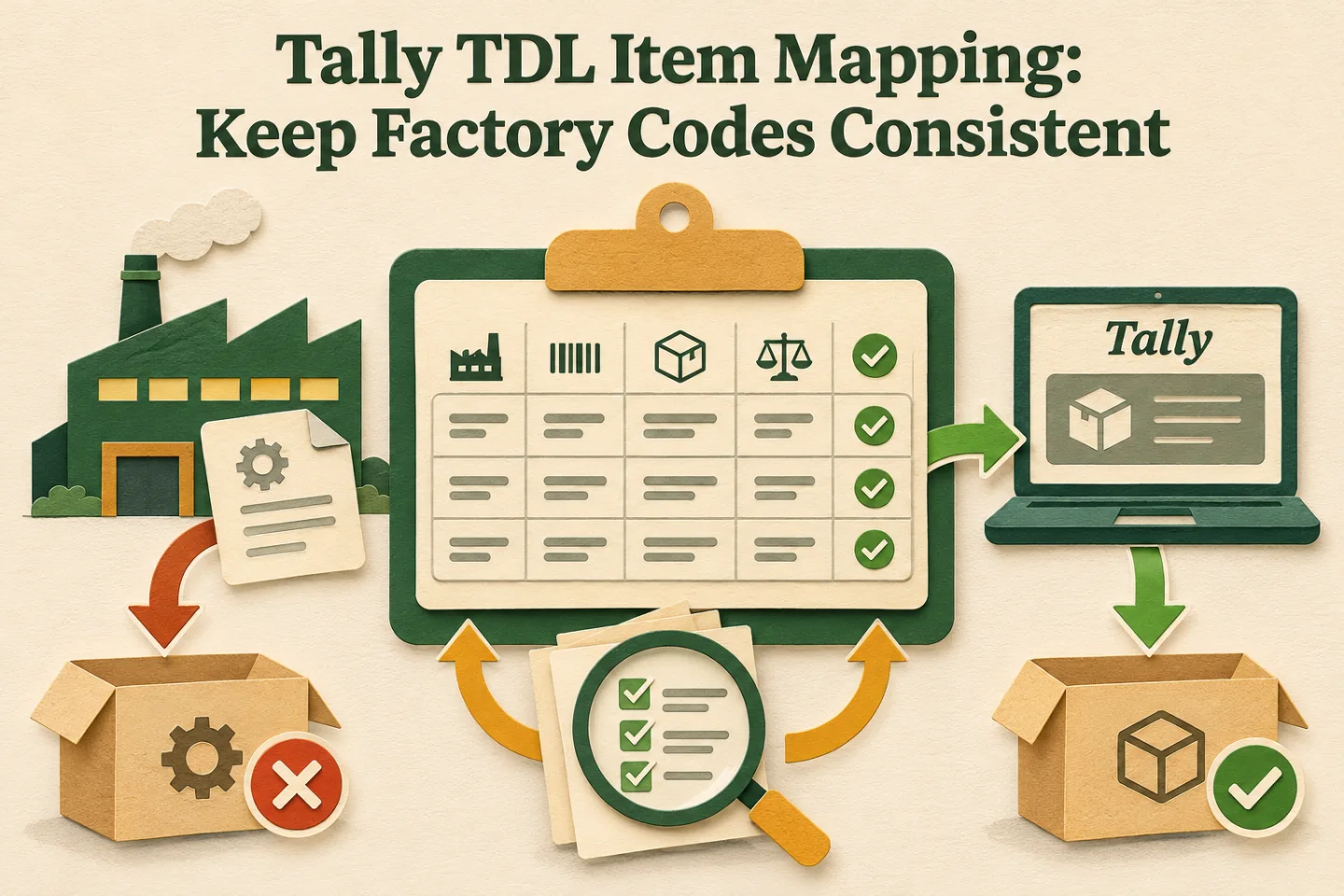
- Identify the source item
- Review the crosswalk
- Resolve unmatched masters
- Control mapping changes
A visual map of this article’s approach. The detailed requirements and exceptions are explained in the surrounding sections.
Include the attributes that change the meaning
| Mapping attribute | Why it matters | Review question |
|---|---|---|
| Company | Similar masters can exist in separate books | Is this the intended accounting company? |
| Unit and conversion | Pieces, kilograms and packs differ | Who approved the conversion? |
| Effective period | A mapping can change over time | Which version applies to this event? |
| Item status | A material can become obsolete | Can existing jobs still refer to it? |
| External aliases | Several sources may use different codes | Are these aliases for the same specification? |
Keep a record of who approved the relationship. A mapping marked active without an owner becomes difficult to correct when stores and accounts disagree about what a code means.
Build an unmatched-item queue
An unmatched item should stop in a reviewable state with its source evidence. Show the affected job or transaction, proposed candidates and the reason the connector could not select one. Do not silently create a new master every time a supplier changes punctuation in a description.
Assign the decision to someone who understands both the material specification and the accounting representation. Some cases need engineering input; others only need an established alias. The queue should distinguish those reasons so routine mapping work does not wait behind a specification dispute.
Control changes without rewriting history
When a mapping changes, record its old and new target, effective point, reason and approver. Decide whether earlier unprocessed events should use the new mapping or keep the version that was approved when they were staged. The correct choice depends on the business event and must be explicit.
Already posted transactions need a separate correction decision. Updating a mapping table should not automatically alter the factory's accounting history. Identify affected records, review their actual destination state and use the approved correction path if a change is required.
Test renamed and merged masters
A rename can be harmless to a user's screen while breaking a connector that relies on the old text. Test how the chosen target reference behaves under the changes your team actually makes. Keep a diagnostic showing when the mapping last resolved successfully.
If the business plans to merge or retire masters, rehearse the effect on open jobs, historical reports and imports. Preserve the reason and the references needed to explain earlier records. Treat a bulk cleanup as controlled work rather than a cosmetic change to a list.
Track these separately. Evidence for one does not automatically confirm the others; use the article’s review and ownership checks.
Establish who maintains the mapping after launch
Assign a business owner for new-item decisions and a technical owner for mapping delivery failures. These may be different people. A pending mapping needs a visible next action and an expected review time, rather than an instruction for the operator to contact whichever developer built the first import.
Keep a small acceptance pack containing representative items, units, aliases and intentionally ambiguous codes. Run it after a mapping-rule change and compare the destination references with the approved results. Include a renamed item and a code that exists in two companies. Those fixtures expose assumptions that a simple successful import can miss.
Record how an urgent item is handled while review is pending. If the business permits a temporary mapping, give it an explicit owner, limited scope and expiry. A temporary workaround should not become a permanent, undocumented identity rule when the next employee inherits the process.
Implementation work to scope
- Collect a representative sample of factory, supplier and Tally item references.
- Define company scope, units, aliases and the approved target identifier.
- Create the review queue for new, ambiguous and obsolete items.
- Version changes and document treatment of queued and posted transactions.
- Test renames, unit mismatches, duplicate codes and unavailable masters.
Use the TDL custom-field brief when deciding whether a new value belongs inside Tally. Keep field design separate from the approval of the business relationship the field represents.
Prove the mapping with a transaction round trip
Take an approved source record, show the mapping version used and inspect the resulting destination record. The operator should be able to explain the selected item and quantity without relying on the developer's memory. Repeat with an unmatched code and confirm that the record reaches its review owner.
Track unresolved mappings, repeated code changes and corrections caused by a wrong target. These reveal whether the model supports factory operations. An integration that has no unmatched queue may simply be hiding its guesses.
For the broader interface decision, read Tally integration methods. Explore GST and Tally automation or share the item-code relationship you need to scope the mapping and review work.
Frequently asked questions
Should an unfamiliar item name create a new Tally master automatically?
Hold the transaction for mapping review. Compare the source identifier, specification, company and unit with the approved master before creating an alias or a new item. Similar names alone do not establish that two materials are interchangeable.
What happens to queued transactions after an item mapping changes?
Record the old mapping, the new mapping and the approved effective point. Decide which version applies to queued records. Already posted transactions require their own reviewed correction process; changing a mapping must not silently rewrite accounting history.

Founder, The Night Marketer (Shopify Select Partner). The agency has served 450+ brands since 2015.
Tally TDL Development & Customisation
I scope and deliver Tally Definition Language customisations around the way your accounts and factory teams actually work. That can include a job reference on a voucher, an entry check, a job-work report or a dispatch print. We start by checking native configuration, define the saved record behind each field, and test the change alongside existing add-ons before rollout.