Key takeaways
- Inventory the Tally release, companies, users and installed add-ons first.
- Test on representative data with clear expected results.
- Keep software rollback distinct from restoring changed business data.
- Reuse the acceptance cases whenever Tally or the customisation changes.
Putting this workflow into practice? Explore Tally TDL Development & Customisation for implementation scope, controls, and next steps.
A factory TDL customisation is ready for rollout when the accounting team can use it, explain its data and recover from a failed change. Copying a TCP file to one workstation proves only that a file arrived. The release needs a defined target environment, test evidence and a support owner.
This checklist is for deploying custom fields, reports and validations around factory workflows. It describes delivery work to agree with the TDL developer and the business. It does not imply that any sample customisation has already been built or tested against your company's data.
Describe the actual target environment
Record the Tally release, relevant company configurations and the users or sites affected. List existing TDLs and add-ons with their owners and versions where available. A new field or report can interact with another customisation even when both work independently.
Identify local and remote usage, shared access patterns and any connected imports. Do not assume a successful test on the developer's machine represents the factory's deployed setup. The acceptance environment should match the operational paths the business intends to use.
Choose the deployment mechanism deliberately
Tally's TDL deployment guide describes local, account, remote and add-on configuration models. Confirm the intended model and the actual access requirements before agreeing the release procedure.
The TCP loading reference also documents configuration paths. Record the approved configuration for this installation instead of circulating several contradictory setup notes. Use the current product documentation and the verified target release when rehearsing the steps.
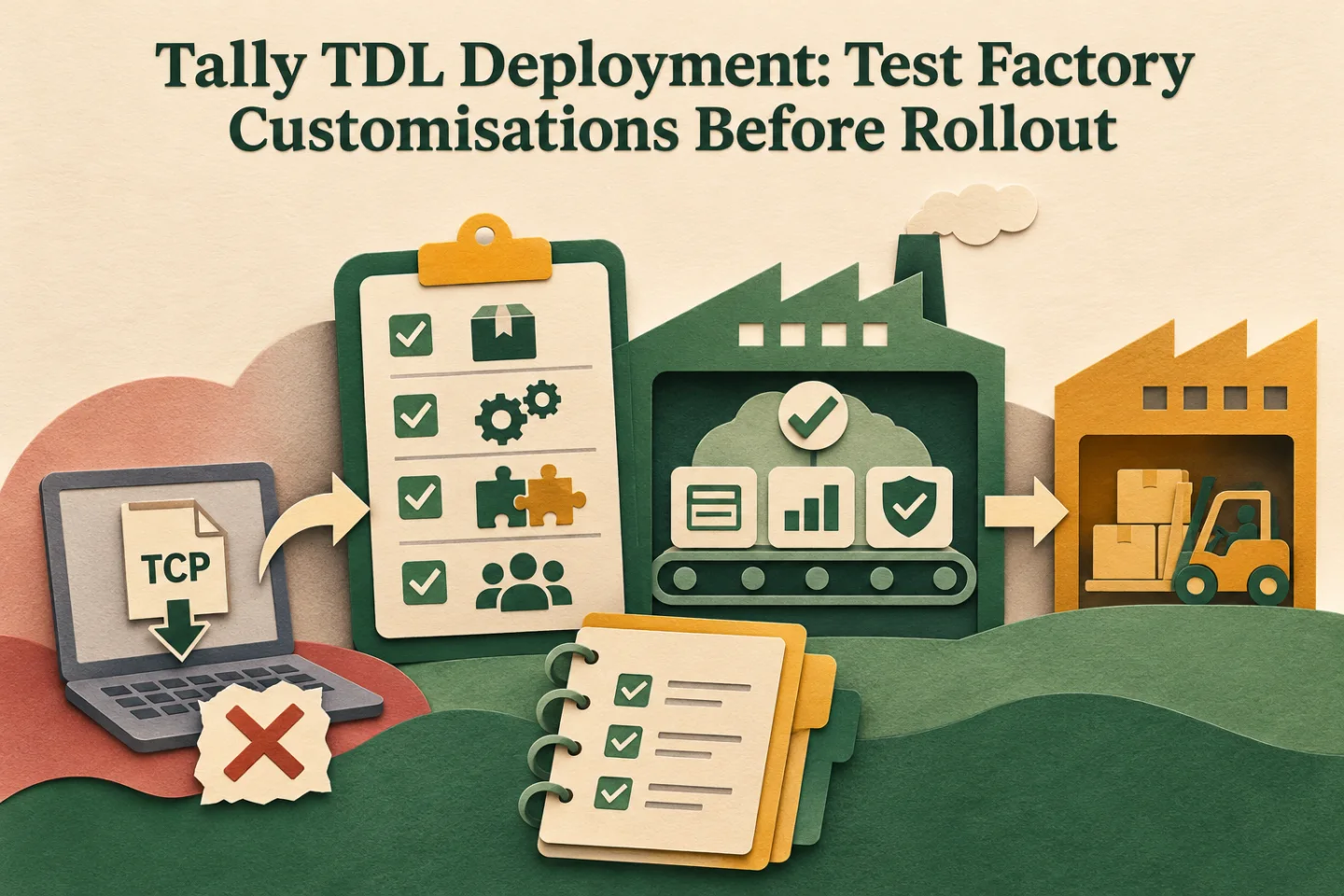
- Record the environment
- Package a versioned change
- Run the acceptance pack
- Pilot and retain rollback
A visual map of this article’s approach. The detailed requirements and exceptions are explained in the surrounding sections.
Build a test company and acceptance pack
Use a representative test dataset with appropriate access and permission from the business. Include ordinary jobs, partial receipts, historical blanks, corrections and the actual types of custom fields or validations being added. Define expected outcomes before running the release.
| Test area | Evidence to capture | Acceptance owner |
|---|---|---|
| Entry and alteration | Correct stored values and understandable messages | Operator and finance |
| Reports and exports | Reconciled totals, units and context | Report owner |
| Existing add-ons | Critical journeys still behave as expected | System owner |
| Connected data paths | Imports and external identifiers remain consistent | Integration owner |
| Recovery | Prior software and approved data-restoration steps work | Release owner |
Include at least one case that should fail. A validation test containing only valid transactions cannot demonstrate whether the intended control works.
Package one identifiable release
Give the approved artifact a version and retain its source, build details and release notes with the responsible team. Record the artifact being deployed to each target. Avoid sending several files with names such as “final latest” and relying on operators to choose the correct one.
Where checksums or an equivalent artifact identifier are used, compare them at the destination. The purpose is to establish that the tested and deployed artifacts are the same. Keep credentials and unrelated company data out of the release package.
Plan data changes separately from software changes
Disabling an extension can change what users see without undoing values already written. If the release includes backfilling or transforming data, document the affected records, backup method, verification and recovery procedure before deployment.
Tally's UDF guidance describes persisted custom information. A software rollback therefore needs a deliberate decision about how earlier and newer code interpret stored values. Do not treat removing a file as proof that company data has returned to its previous state.
Pilot the operational shift
Choose a small user group and a defined period for the first production use. Arrange support when the relevant accounting or stores work actually happens. Have the operator confirm the first completed job, report or validation exception using the normal process.
Record issues with the release version and business impact. Separate a configuration mistake, a data problem and a code defect so the right owner can respond. If the pilot is stopped, preserve the affected transaction references for reconciliation rather than simply repeating the same job after reverting software.
Implementation work to scope
- Inventory the target releases, companies, users and existing extensions.
- Agree the test cases, acceptance owners and recovery evidence.
- Package the approved source or compiled artifact with an identifiable version.
- Rehearse configuration and verification in the representative environment.
- Pilot the release, resolve exceptions and retain the regression pack for upgrades.
Assign a support owner and an escalation route before handing the work over. The factory should know who can answer an operational question and who can change the code.
Track these separately. Evidence for one does not automatically confirm the others; use the article’s review and ownership checks.
Make acceptance an operational decision
Record who approved the pilot and what evidence they reviewed. Acceptance should identify the release version, test company or sample, remaining limitations and the date of the decision. A chat message saying “looks fine” does not show whether reports, imports and historical records were included.
Keep unresolved items in a named work list with severity and ownership. A minor report-label correction may be acceptable for a limited pilot, while an unexplained quantity difference needs investigation before users rely on the result. Agree those decisions with the business rather than allowing the developer to infer approval from the absence of complaints after installation.
Keep upgrade checks small but meaningful
When Tally or a dependent add-on changes, repeat the highest-risk journeys: entry, alteration, copy, report totals, export and any connected import. Compare the result with the agreed expected output. A successful launch screen is not a substitute for a completed business transaction.
Keep a short change log describing why each release was needed and which tests were repeated. This helps the next developer understand the factory's assumptions without reconstructing the project from messages and old files.
For a reusable handover structure, see the automation runbook. Explore GST and Tally automation or share the customisation and target setup to scope testing, rollout and ongoing maintenance.
Frequently asked questions
What should be tested before a TDL rollout?
Use the intended Tally release, company configuration and installed add-ons to test entry, alteration, reports, printing, exports and recovery. Keep a versioned package and accepted test evidence.
Does a successful installation prove the customisation works?
No. Have actual operators complete representative tasks and verify stored records and reports. Keep compatibility checks and a recovery plan available for later upgrades.
Related implementation guides

Founder, The Night Marketer (Shopify Select Partner). The agency has served 450+ brands since 2015.
Tally TDL Development & Customisation
I scope and deliver Tally Definition Language customisations around the way your accounts and factory teams actually work. That can include a job reference on a voucher, an entry check, a job-work report or a dispatch print. We start by checking native configuration, define the saved record behind each field, and test the change alongside existing add-ons before rollout.