Key takeaways
- Keep original purchase and portal files alongside each reconciliation version.
- Use matching rules to suggest candidates without silently changing invoice identities.
- Track amount differences, missing documents and eligibility questions separately.
- Reconcile the final statement version with the reviewer-approved filing pack.
Putting this workflow into practice? Explore GST & Tally Automation for Delhi NCR Businesses for implementation scope, controls, and next steps.
GSTR-2B reconciliation should produce a traceable decision pack: which purchase documents match, which need investigation, who owns each exception, and which credit treatment the reviewer approved. A green match alone does not establish eligibility. The useful output is a bridge from source records to a reviewed return position.
This guide describes an operating workflow. The examples are illustrative, with no claimed client outcomes. Tax treatment and filing decisions remain with the business and its qualified reviewer.
Start with the statement version you actually reviewed
GSTN describes GSTR-2B as an auto-drafted ITC statement and advises reconciliation with books. Its GSTR-2B FAQ also covers duplicate credit, reversals and reverse charge. Statement visibility is an input to review; it does not replace the underlying eligibility checks.
The IMS advisory explains that actions changed after draft GSTR-2B generation require recomputation before GSTR-3B filing. Do not design the process around an assumption that the first downloaded file can never change. Record generation time, download time and the version used for final review.
A practical file register contains GSTIN, tax period, source system, export filters, file name and the person who downloaded it. Restrict access to the finance team and preserve originals. If an analyst replaces a working file, the original should still be available to explain the earlier result.
Define the purchase register contract
Choose the accounting source and agree the columns before writing a matching script. Include supplier GSTIN, document number, date, document type, taxable value, tax heads, company identifier and the internal accounting reference. Preserve credit notes and amendments as distinct records with links to their originals.
Keep raw and comparison values separately. Trimming surrounding spaces may help comparison, but removing all punctuation or leading zeros can collapse different document numbers into the same key. Flag collisions. A proposed match that joins two purchase entries to one portal record needs investigation, not automatic acceptance.
Reconcile export totals back to the accounting report. Explain excluded rows, cancelled documents and documents posted after the cut-off. Otherwise the matching tool can be internally consistent while working on an incomplete purchase population.
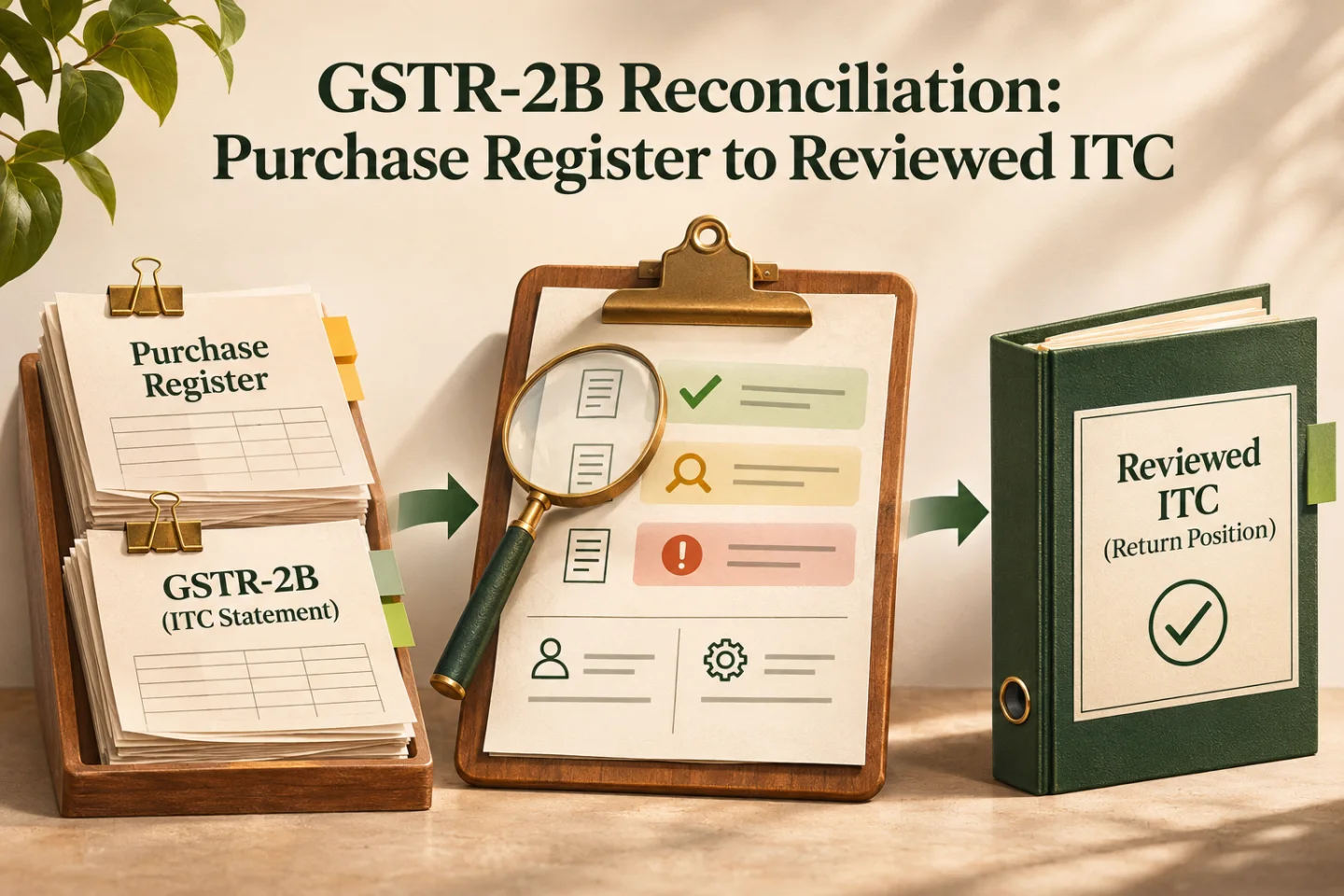
- Version the statement
- Prepare purchase records
- Review matching exceptions
- Document the credit decision
A visual map of this article’s approach. The detailed requirements and exceptions are explained in the surrounding sections.
Give each exception a specific next action
These four operational queues are useful starting points. They are not an exhaustive classification of GST law; a document can also carry a separate eligibility or timing flag.
| Review queue | What the comparison found | Suggested owner | Evidence needed to close |
|---|---|---|---|
| Books only | Purchase entry without a corresponding statement record | Accounts payable and supplier contact | Document trail and reviewer-approved treatment |
| Statement only | Portal record without a corresponding purchase entry | Accounts | Invoice and receipt evidence, or documented supplier correction |
| Amount difference | Candidate documents agree on identity but disagree on values | Accounts and supplier | Agreed source values and amendment status |
| Classification difference | Tax head, document type or treatment disagrees | Finance reviewer | Reason for classification and approved correction |
Avoid labels such as “supplier fault” before checking the underlying records. A wrong period filter, missing branch export or repeated invoice number can create the same visible symptom. Store the reason separately from the party expected to take the next action.
Match in stages and expose uncertainty
Start with exact matches on a documented composite key and compare amounts within explicitly approved rounding tolerances. Move ambiguous cases into review. A second pass can suggest date or document-number variations, but should show both original values and why the candidate was proposed.
For an illustrative example, suppose the purchase register contains INV/0012 and INV-0012 for the same supplier. Removing punctuation makes them identical. The correct response is a collision flag and source-document review. Silently merging them would hide a possible duplicate or discard a legitimate invoice.
Record the rule version and run identifier. When matching rules change, compare the new output with the earlier run. Review changed decisions rather than replacing the previous spreadsheet and assuming every new green row is correct.
Separate matching from the credit decision
Use separate fields for match result, supporting documents, eligibility review, proposed treatment and final approval. A matched document may still need a blocked-credit, receipt, timing, reversal or other review. A difference does not become acceptable merely because someone expects a future supplier amendment.
Build a review summary by tax head and treatment, with links back to document-level evidence. The reviewer should be able to explain the bridge from the statement and books to the approved return figures. Avoid a single formula that treats all matched amounts as automatically claimable.
Keep unresolved items in a carry-forward register with an owner, next action date, relevant period and review deadline. Later appearance in a statement should trigger reconsideration under the applicable rules, not unconditional credit recovery. Ageing helps the team act before an unresolved document becomes a forgotten one.
Close supplier follow-up with evidence
A useful supplier request identifies the specific document, discrepancy and requested correction. Do not send an entire purchase register when a small invoice list will do. Keep the message date, response and promised action against the exception so the next operator can continue without reconstructing an email thread.
Measure unresolved value, ageing, repeated discrepancies and time awaiting internal evidence. Do not optimise solely for a high match percentage: a process that incorrectly merges records can look efficient while making the review less reliable.
Track these separately. Evidence for one does not automatically confirm the others; use the article’s review and ownership checks.
Pilot one complete period
First, validate exports and totals. Next, run the matcher against a completed period and compare its suggestions with the actual evidence. Then rehearse an IMS change and a new download to ensure the review pack clearly identifies which version is current.
Before release, test a duplicate invoice number, a credit note, a different tax head, a missing branch file and a supplier correction received after the initial review. Confirm that an operator can reopen a decision, record the reason and produce the revised bridge without losing the earlier evidence.
Turn the reconciliation into a filing handoff
The final handoff should include source versions, totals, unresolved exceptions, approved treatments and reviewer sign-off. Keep proof of what was ultimately filed separately from the draft preparation pack. For the broader close, use the GSTR-3B review workflow and GST month-end evidence pack.
To connect exports, exception ownership and review around your accounting tools, explore GST and Tally automation or share your current reconciliation process.
Frequently asked questions
Does a matched GSTR-2B record establish ITC eligibility?
No. Keep matching separate from evidence, eligibility review, proposed treatment and final approval. The authorised finance or tax reviewer decides the credit treatment.
What should happen to unmatched purchase documents?
Classify the observed difference and assign an owner, evidence requirement and next action date. Preserve source versions and carry unresolved items forward with their review history.

Founder, The Night Marketer (Shopify Select Partner). The agency has served 450+ brands since 2015.
GST & Tally Automation for Delhi NCR Businesses
I build GST and Tally automation workflows for businesses in Delhi NCR and across India. The work can connect Shopify, marketplaces, billing tools, spreadsheets, CRM, Tally or TallyPrime, and finance review queues with explicit controls for approvals and exceptions.